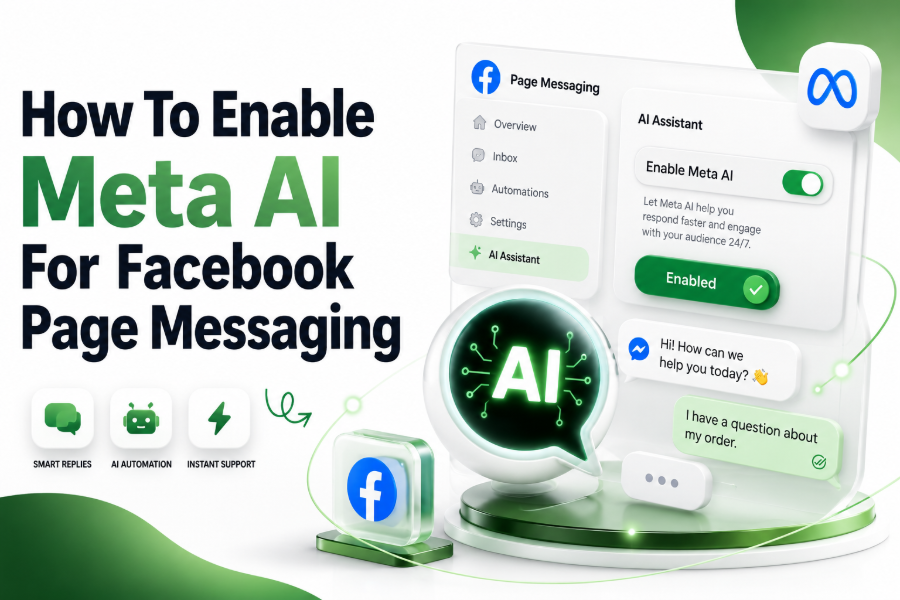
Meta AI is transforming how businesses interact with customers through Facebook Page messaging. It allows automated, intelligent responses that improve speed, accuracy, and engagement. Understanding how to enable Meta AI for Facebook Page messaging is essential for modern digital communication strategies.
Businesses today rely heavily on instant messaging to support customers in real time. Meta AI helps reduce manual workload while maintaining consistent communication quality. It also ensures that users receive relevant responses without long waiting times.
By integrating Meta AI into Facebook Page messaging, brands can create a more responsive and professional communication system. This improves customer satisfaction, increases engagement, and helps businesses scale their support operations efficiently.
Meta AI Features for Pages
Meta AI comes with several advanced features designed for Facebook Pages. It can analyze user messages, understand intent, and generate contextual replies. This makes communication smoother and more personalized for customers interacting with a business page.
One of its key strengths is natural language processing, which allows it to understand different message formats. Whether users type short queries or detailed questions, Meta AI can respond in a human-like and helpful manner.
Additionally, Meta AI supports multilingual communication. This is especially useful for global or regional businesses that interact with customers from diverse language backgrounds and need consistent messaging quality.
Requirements Before Enabling Meta AI
Before learning how to enable Meta AI for Facebook Page messaging, certain requirements must be met. The Facebook Page must be connected to Meta Business Suite, and the account should have admin-level access to modify messaging settings.
A stable business profile setup is also required. This includes verified page information, updated contact details, and active messaging settings. Without these, Meta AI activation may not function properly.
Businesses should also ensure that messaging tools like inbox automation and response settings are already configured. This creates a foundation for Meta AI to operate smoothly without conflicts.
Accessing Meta Business Suite Settings
To begin the setup process, users must access Meta Business Suite. This platform manages all Facebook Page tools, including messaging, analytics, and automation features in one centralized dashboard.
Once inside the Business Suite, navigate to the settings section. Here, users can find messaging tools and automation controls that are necessary for enabling AI-based responses.
Proper navigation is important because Meta AI features are often nested within advanced messaging settings. Understanding this structure helps avoid confusion during setup.
Step-by-Step Process to Enable Meta AI
Enabling Meta AI for Facebook Page messaging requires a structured approach. Users must first open the messaging settings inside Meta Business Suite and locate the AI or automation section.
After that, the AI assistant option should be toggled on. This activates Meta AI capabilities for handling incoming messages and generating automated replies based on user queries.
Once enabled, it is important to test the system by sending sample messages. This ensures that Meta AI is responding correctly and is aligned with the business communication style.
Configuring Automated Responses with Meta AI
After activation, Meta AI can be customized to match business needs. This includes setting tone, response style, and types of queries it should handle automatically.
Businesses can also define fallback responses for cases where AI cannot fully understand a user request. This ensures smooth communication without leaving customers without answers.
Key configuration options include:
- Setting greeting messages for new users
- Defining frequently asked question responses
- Customizing tone (formal, friendly, or neutral)
- Assigning escalation rules for human support
- Setting response delay preferences for better flow
These settings help create a balanced communication system where automation and human support work together effectively.
Optimizing Customer Messaging Workflow
Once Meta AI is enabled, businesses can optimize their messaging workflow for better efficiency. This includes organizing inbox categories and prioritizing important customer conversations.
AI-driven tagging systems help categorize messages automatically based on intent. This reduces manual effort and helps teams focus on high-priority tasks.
Proper workflow optimization ensures that customer queries are resolved faster, improving overall satisfaction and engagement levels across the Facebook Page.
Using Meta AI for Lead Generation
Meta AI is not only useful for customer support but also for generating leads. It can identify potential customers based on their inquiries and guide them through conversion-focused conversations.
For example, when users ask about services or pricing, Meta AI can provide structured responses that encourage further engagement. This increases the chances of turning visitors into customers.
Businesses can also integrate Meta AI with internal CRM systems to track leads and follow up efficiently, improving overall sales performance.
Internal resource: /blog/facebook-page-messaging-guide
Common Issues and Troubleshooting
While enabling Meta AI for Facebook Page messaging, users may face certain issues such as missing options, restricted access, or delayed activation.
These issues are often caused by outdated page settings or incomplete business verification. Ensuring that Meta Business Suite is fully updated can resolve most problems.
If Meta AI still does not appear, clearing cache, checking admin permissions, and re-verifying business details can help restore functionality.
Privacy and Data Handling Considerations
Meta AI processes user messages to generate responses, which raises important privacy considerations. Businesses must ensure compliance with Meta’s data policies when using AI-driven messaging tools.
Customer data should be handled securely, and sensitive information should not be stored unnecessarily. Transparency in communication builds trust between businesses and users.
Understanding data usage policies is essential for maintaining a safe and compliant messaging environment.
Best Practices for Business Messaging with Meta AI
To maximize the effectiveness of Meta AI, businesses should follow best practices. This includes regularly updating AI responses and monitoring performance metrics.
Human oversight is still important to ensure quality control. AI should support, not fully replace, human communication in complex situations.
Businesses should also continuously test and refine messaging flows to improve accuracy and customer satisfaction over time.
Future of Meta AI in Messaging
Meta AI is expected to become more advanced with deeper integration into Facebook Pages and other Meta platforms. Future updates may include improved personalization and predictive messaging.
Automation will continue to evolve, making customer interactions faster and more intuitive. Businesses that adopt early will have a competitive advantage in digital communication.
As AI technology grows, Facebook Page messaging will become more intelligent and highly responsive to user needs.
Conclusion
Understanding how to enable Meta AI for Facebook Page messaging helps businesses improve communication, automate responses, and enhance customer engagement. It streamlines messaging workflows while maintaining quality interactions.
With proper setup and optimization, Meta AI becomes a powerful tool for scaling business communication effectively.
FAQ’S
What is Meta AI in Facebook messaging
Meta AI is an intelligent system that automates responses in Facebook Page messaging. It helps businesses reply faster, understand user intent, and manage conversations efficiently without constant manual input.
Can Meta AI fully replace human support
Meta AI cannot fully replace human support, especially in complex cases. It is designed to assist and handle routine queries while human agents manage advanced or sensitive customer issues.
Is Meta AI available for all Facebook Pages
Not all Facebook Pages may have access to Meta AI features. Availability depends on region, account type, and whether the page is properly set up in Meta Business Suite.
Does Meta AI support multiple languages
Yes, Meta AI supports multiple languages. It can understand and respond in different languages, making it suitable for global businesses with diverse customer bases.
How long does it take to activate Meta AI
Activation time can vary. In most cases, it becomes active immediately after enabling, but sometimes it may take a few hours depending on system updates and account settings.
0 Comments